Overview
This tool didn't start with me. It started with a printed sheet the clinic owner had been using for years — a hand-filled checklist of every supply and piece of merchandise, checked off on Wednesdays and Saturdays.
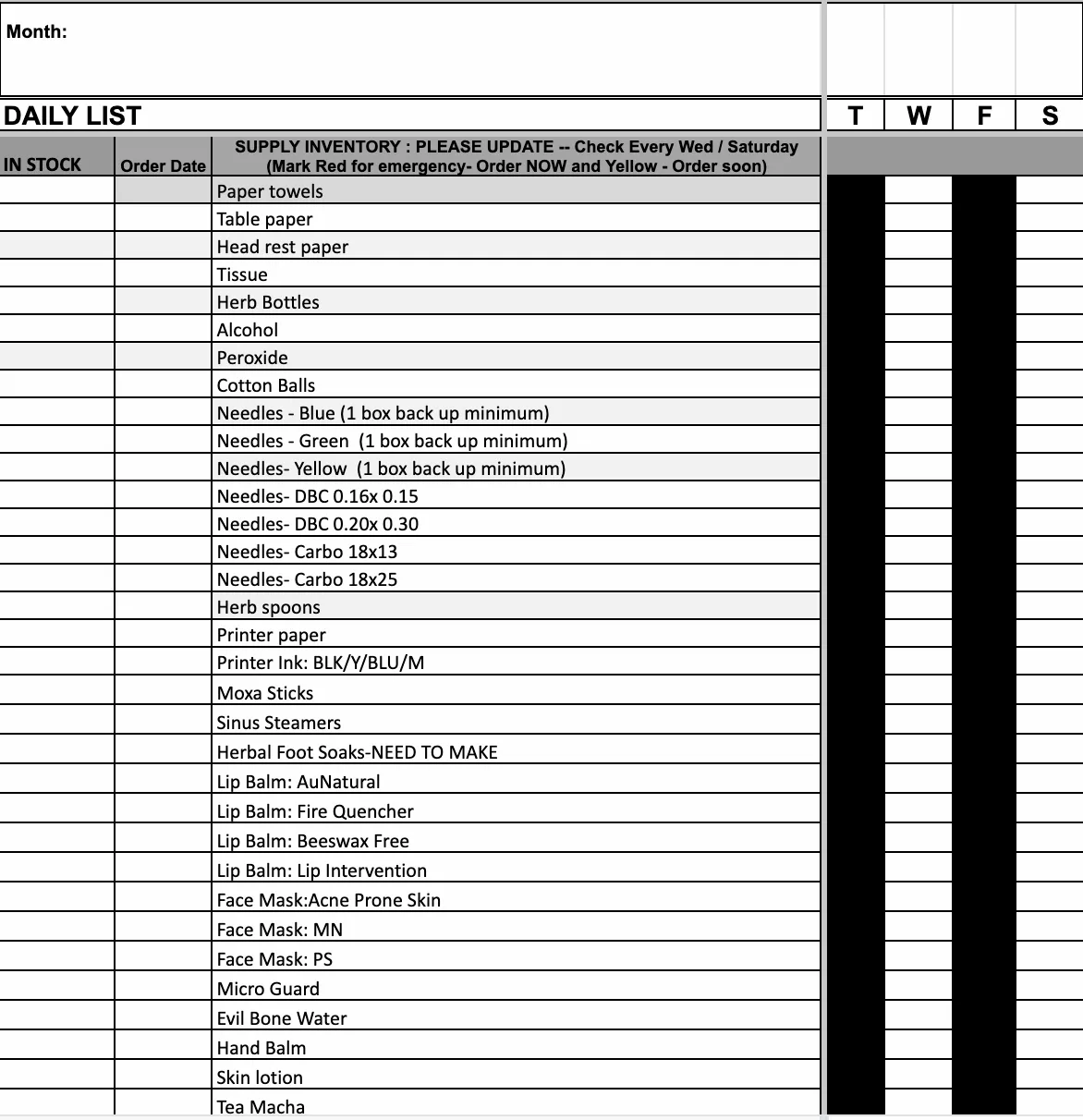
When I joined the clinic, my first improvement was simple: laminate it. Add dry-erase markers. Track which items had been sent to the order contact, so nothing fell through. Better than the paper version — but it still required someone to be physically in front of it to do anything, and there was no record of what had actually been ordered.
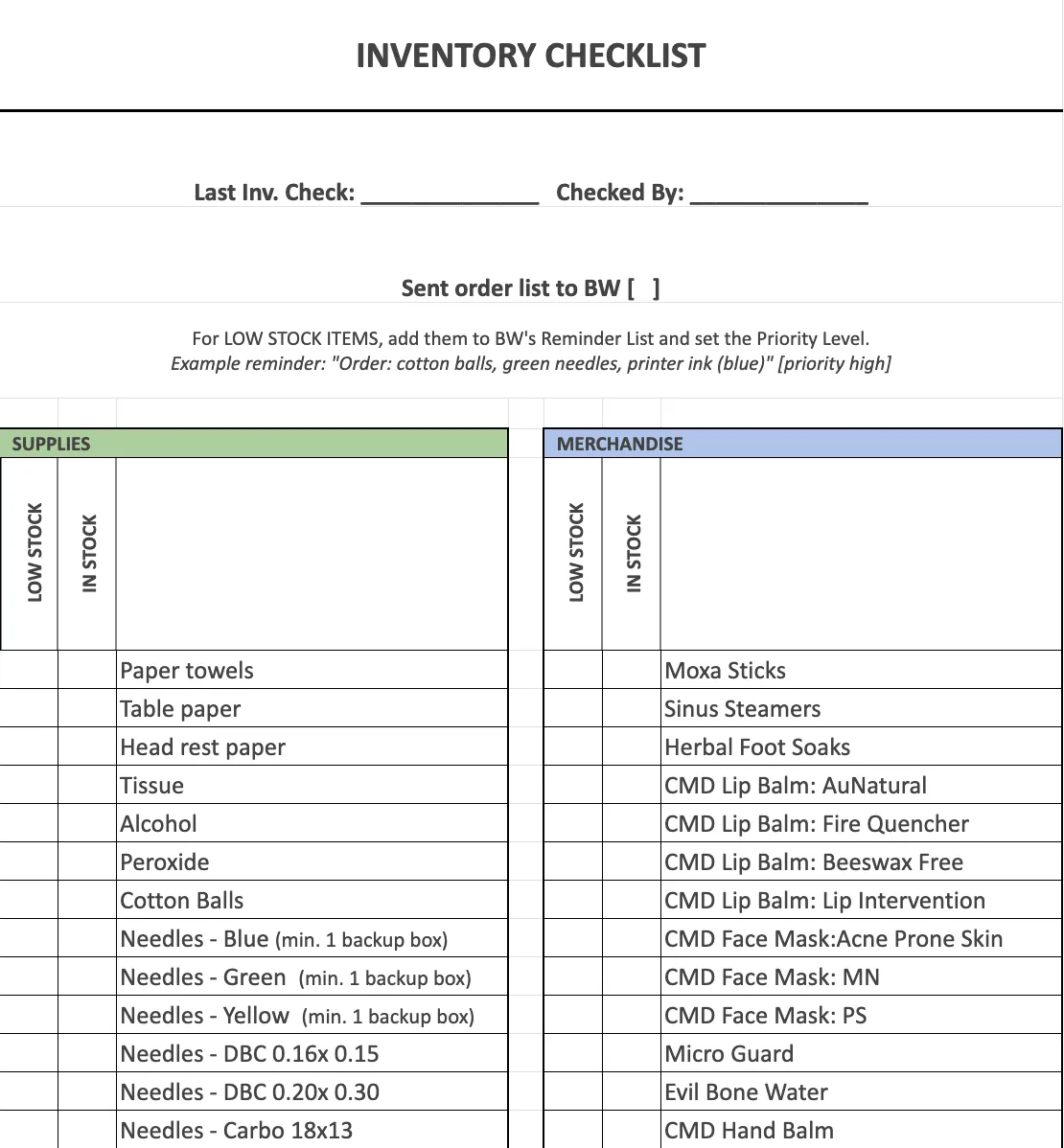
The system worked until it didn't. Staff forgot to wipe and recheck. Orders got placed twice or not at all. Nobody knew what was already on its way. The laminated sheet told you what was low — it couldn't tell you what had already been handled.
The goal: Replace the laminated checklist with a live system any staff member could update from any device, with full visibility into what's been flagged, what's been ordered, and what's on its way.
How it works
The system lives in one Google Sheet with four connected tabs: Low Stock Reports, Orders in Progress, Received Log, and Item Catalog. Each tab feeds the next. A checkbox in one place sets off a chain of automatic actions — no post-it notes, no follow-up reminders, no second-guessing whether someone already handled it.
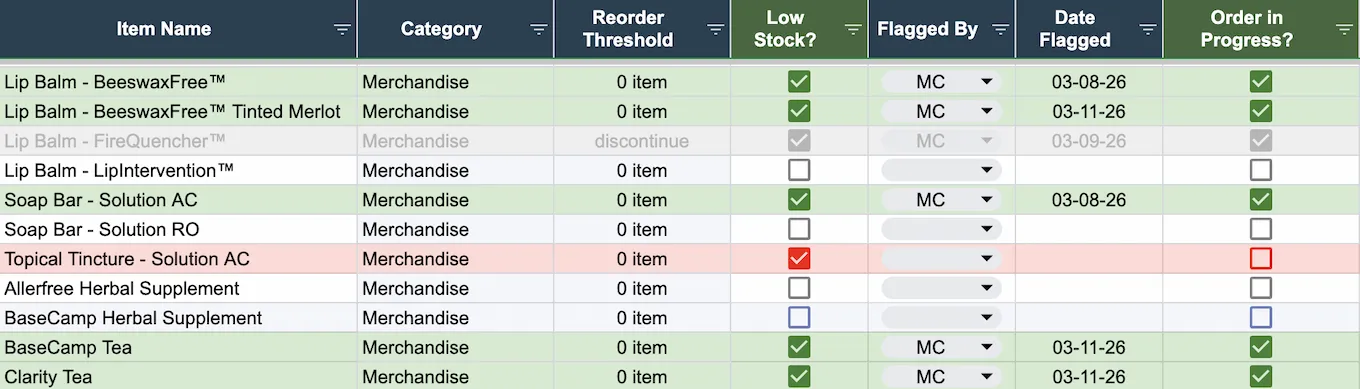
The cascade
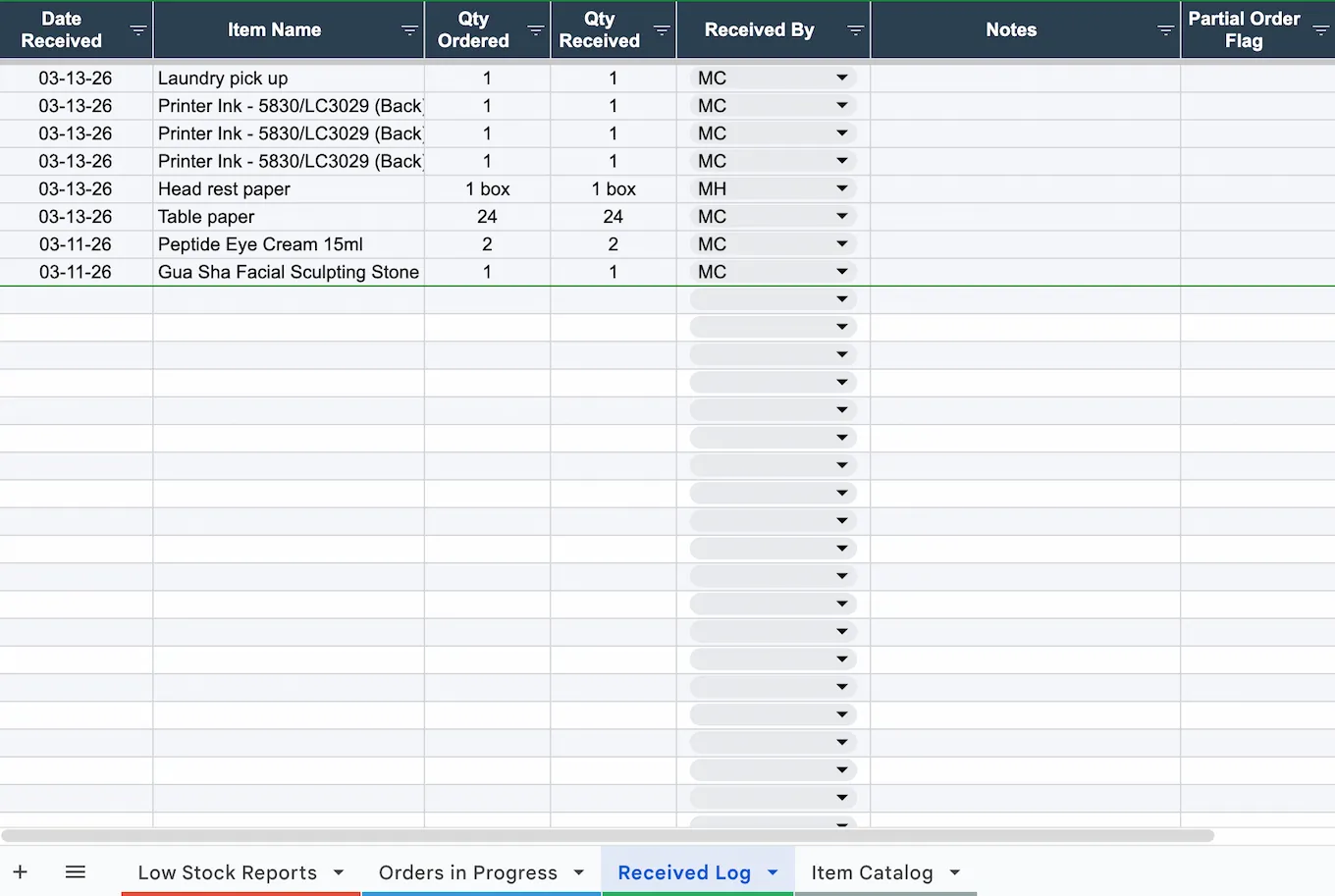
Low Stock? → ✅ → date stamps. Check Order in Progress? → ✅ → the script pulls the item's info into Orders in Progress. Set status to Received → a Received Log entry appears, ready to confirm quantity. Confirm the full order → Low Stock and Order in Progress clear automatically. Partial orders stay open until the remainder arrives.
One checkbox. The rest follows.
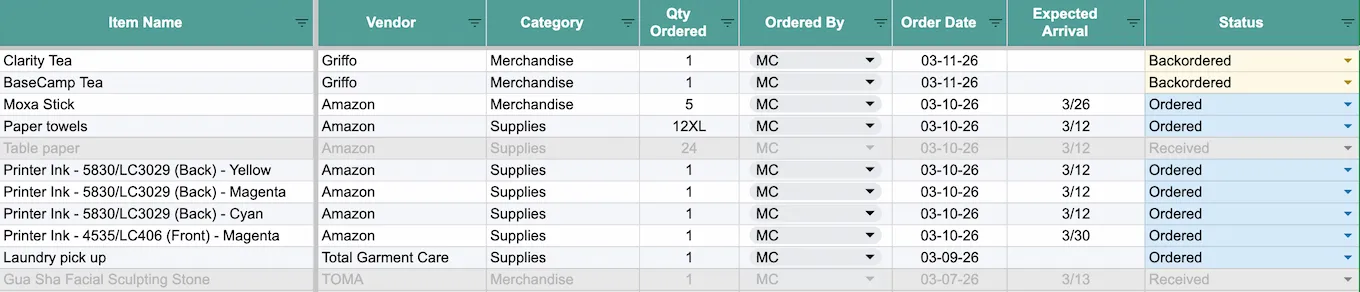
The Item Catalog
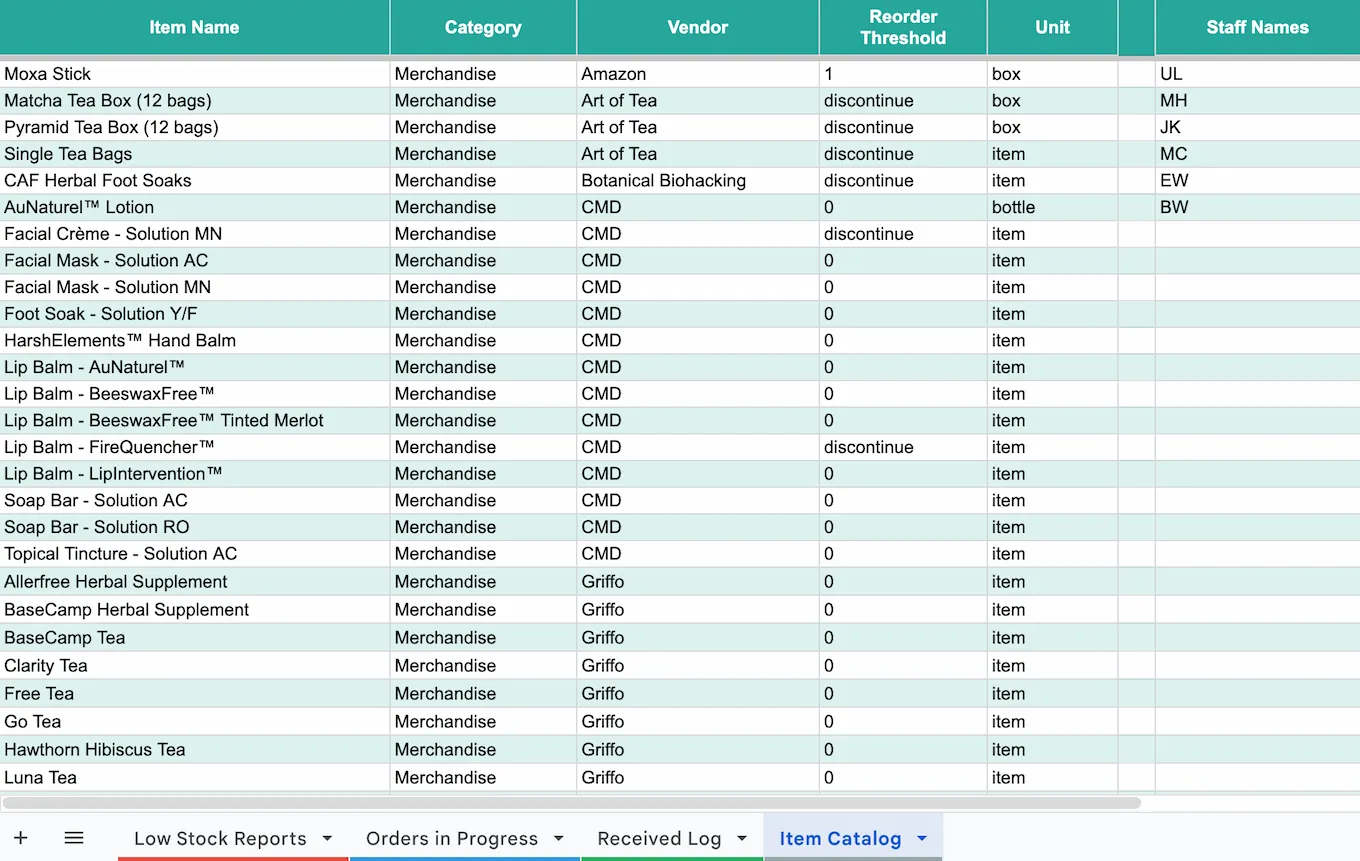
The master list — every item with its vendor, category, and reorder details. The script reads from it to populate the Orders in Progress row. It auto-sorts whenever it's edited, so it stays clean without anyone maintaining it.
Reflection
The laminated checklist failed not because it was poorly designed, but because it required coordination at every step. Flag something low. Remember to tell someone. Hope they placed the order. Hope someone logged it when it arrived. Each handoff was a place things could drop.
The cascade eliminates the handoffs. Staff don't coordinate — they just check the box in front of them.
A scalable pattern that would work whether you're managing 40 SKUs or 4,000.