Overview
Every season, the Herndon Community Center releases a class schedule as a PDF brochure. Anyone who wants to know what's offered — what fitness classes meet on Tuesday mornings, what a youth swim session costs, whether there's space in the adult pottery class — has to download it and pinch-zoom through dense tables on their phone. The information is technically public. It's practically inaccessible.
I built herndonrec.com to fix that. The direct inspiration was ferrytimetable.co.nz → — a clean, unofficial site that does the same thing for New Zealand ferry schedules. Same idea: take data that exists in an unusable format and give it a real interface. The site is also a deliberate learning and SEO experiment, which shapes some of the decisions described below.
The goal: Take public information locked inside a PDF and make it usable on the device where most people would actually look for it.
The Problem
The Spring 2026 brochure covers eight program categories: Aquatics, Fitness and Yoga, Tennis and Pickleball, Arts and Crafts, Performing Arts, Sports and Martial Arts, and Special Events — each laid out in dense multi-row tables. It reads fine on paper. On a phone, looking for one specific class, it doesn't.
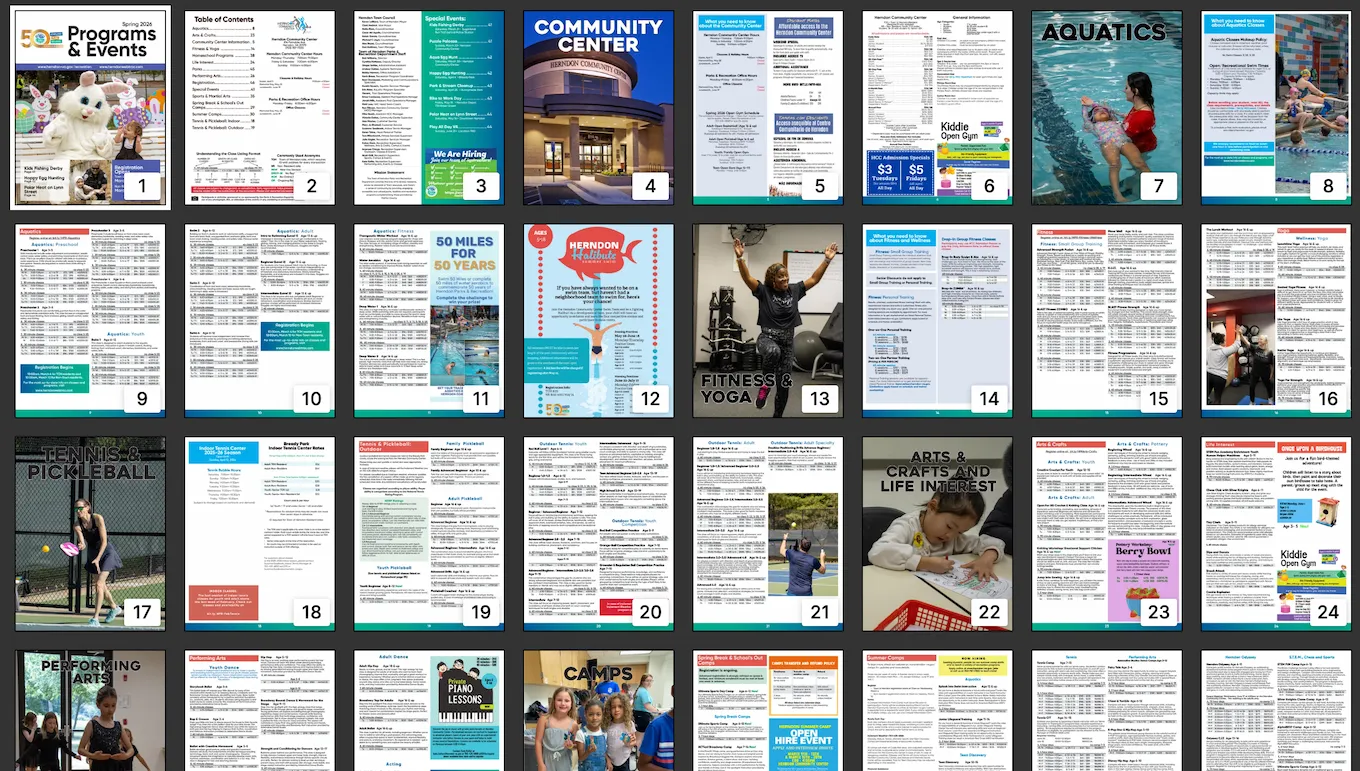
On desktop, a PDF is workable. On mobile, it's a scroll-and-zoom exercise with no way to filter or browse by category. If you want Tuesday yoga, you read every row until you find it — or give up.
Approach
The data problem came first. The brochure existed only as a PDF — no API, no export, nothing structured behind it. I designed the schema and built a JSON file covering every class, session, price, date range, no-class date, and registration code in the document.
The schema is organized around how someone searches for a class — by day, time, age range, price, or activity type — not around how the PDF happened to be laid out. The result: 1,276 lines of structured JSON, 81KB, covering the full Spring 2026 season. No database, no CMS, no backend. The browser reads it at runtime and renders everything client-side.
That file is the single source of truth. No database, no CMS, no backend. The browser reads it at runtime and renders everything client-side.

Build decisions
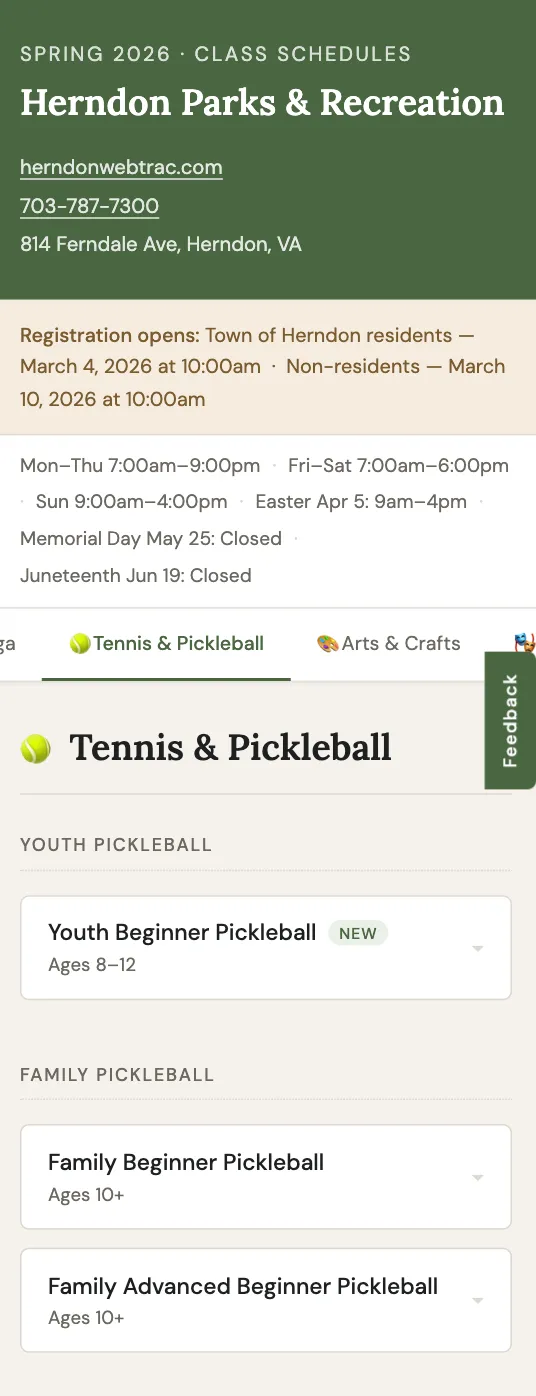
- Categories render on demand — lazy panel rendering keeps the initial load fast despite the dataset size
- Sticky tab navigation lets users jump between categories without losing their place
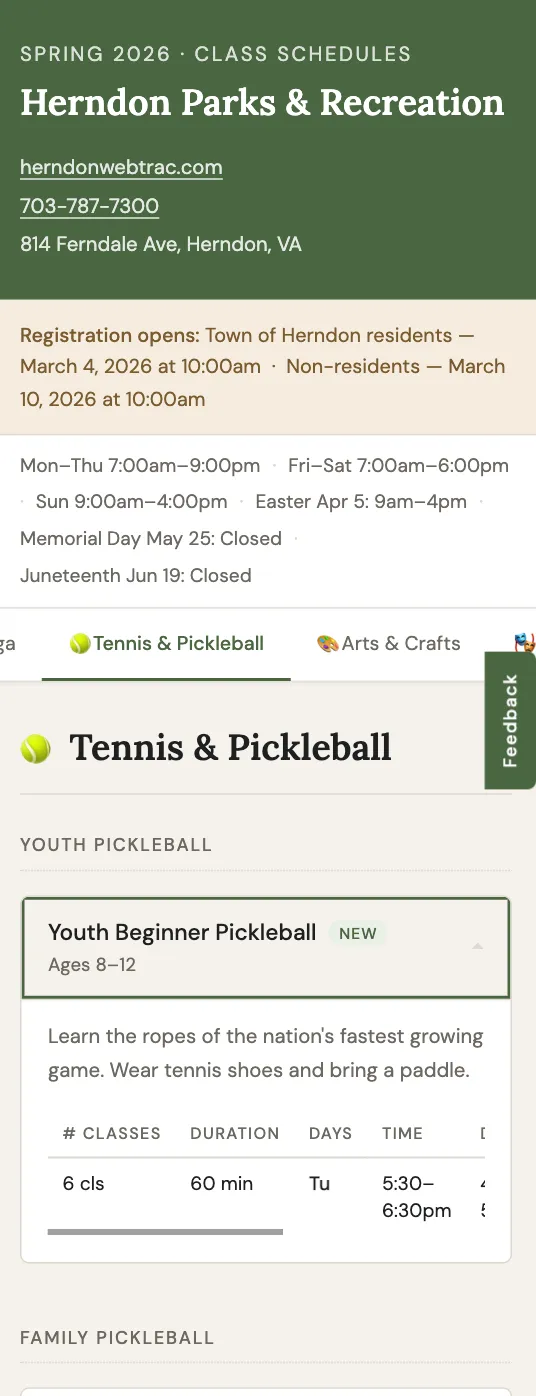
- Accordion-style class cards keep the page scannable; expanded cards show full session detail including no-class dates and registration codes
- A feedback form (Formspree) gives users a way to report errors in the data
A bug that only showed up in production
The site worked correctly in every local test and broke silently on the live deployment. The script ran before the DOM was ready, threw null reference errors, and rendered nothing. No visible error message — just a blank page.
The fix was a single word: defer on the script tag. The browser had been running the script before the elements it
needed existed. One attribute, and the whole thing worked.
It's the kind of bug that doesn't appear in development or in the browser console unless you're watching for it. It only surfaces when you're on a real server with a real load sequence. Now I make a habit of checking it.
Results
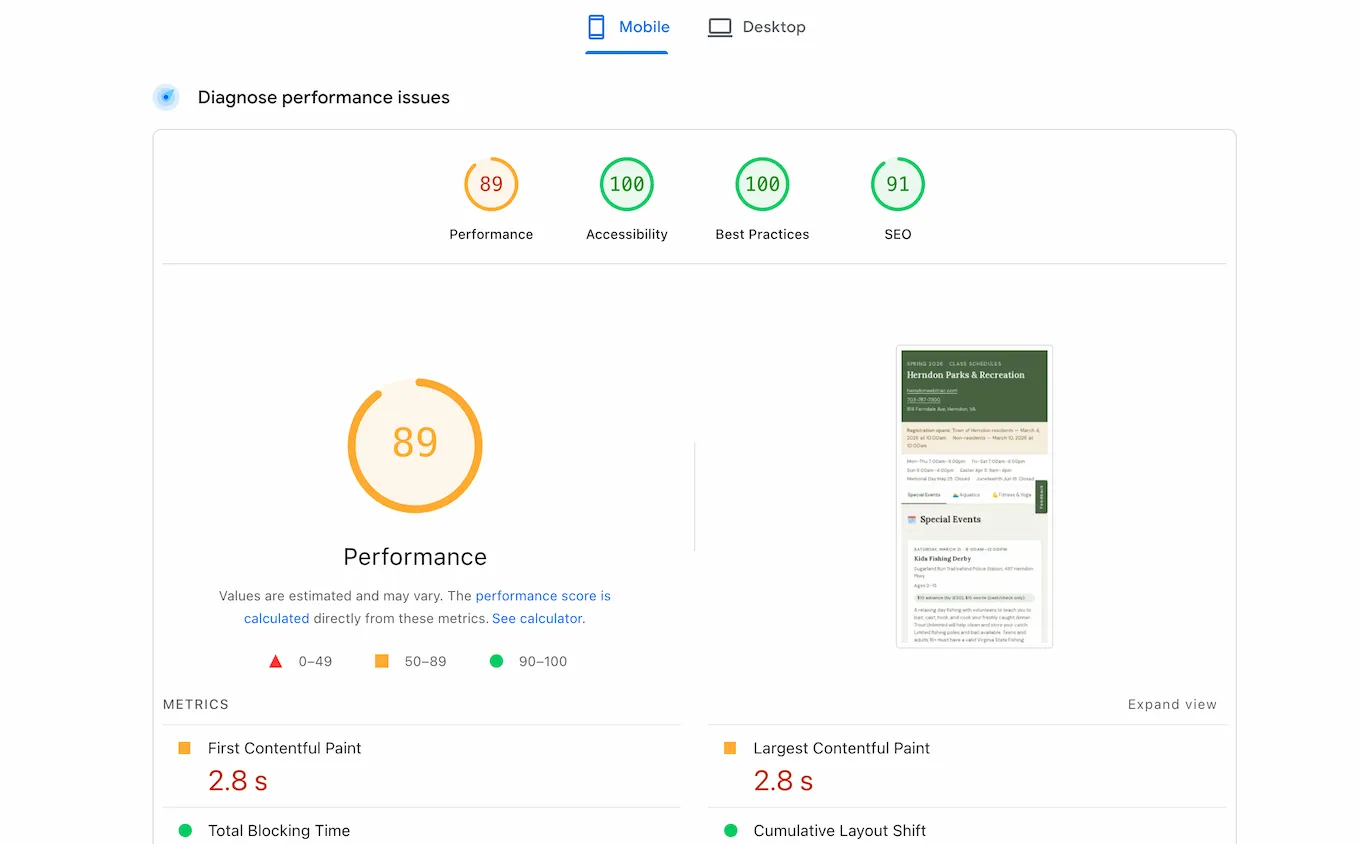
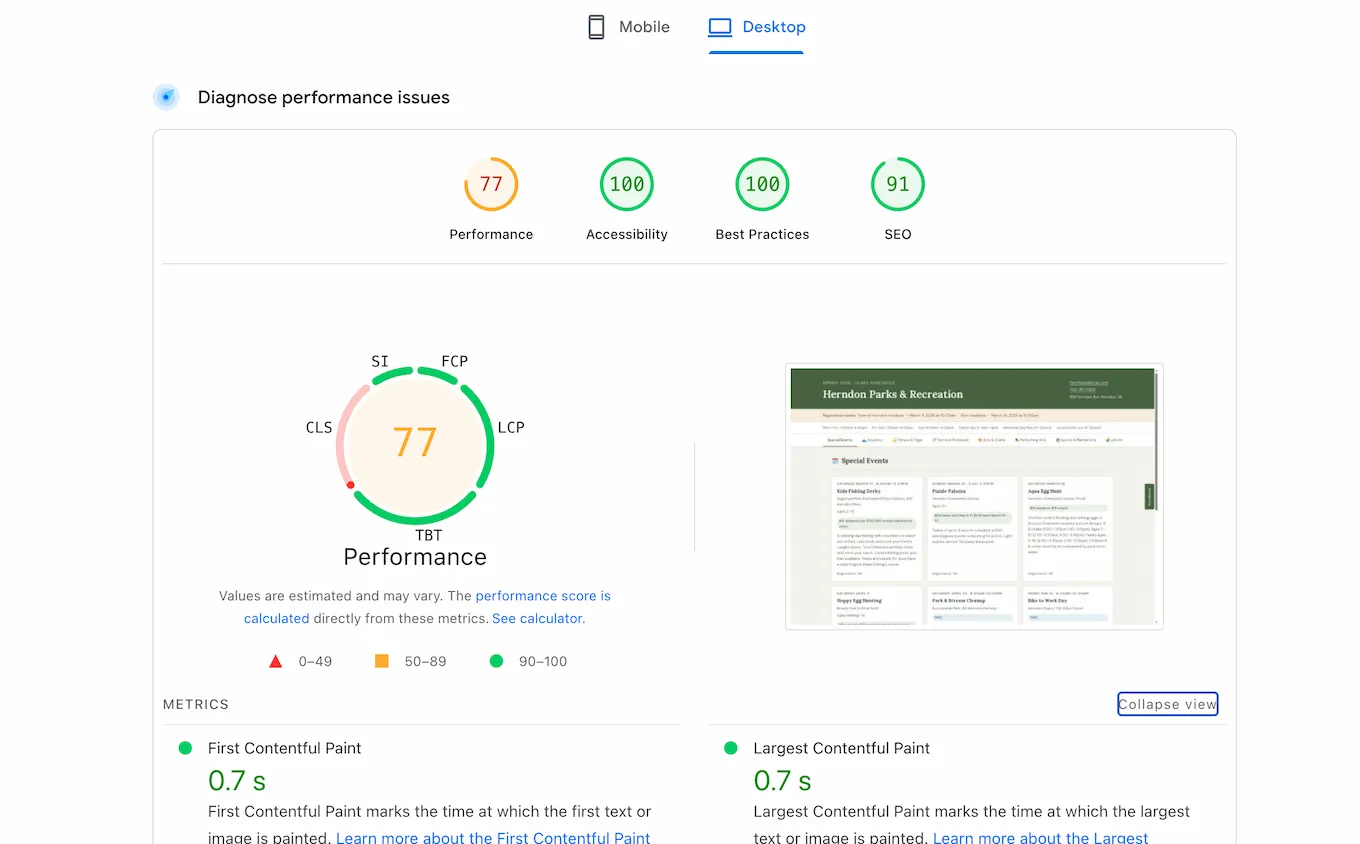
The site is live. PageSpeed scores came back strong on accessibility and best practices — 100 across the board on both mobile and desktop. Performance is mixed: 89 on mobile, 77 on desktop, where the 81KB JSON file parsed on the main thread shows up as Total Blocking Time. A known tradeoff of the flat-file approach, and worth addressing.
Reflection
The site started as a personal frustration and turned into a broader experiment. The question I'm watching: how does a small, static, locally-relevant site get discovered and ranked? Search Console is set up. The data will come in over the next few weeks.
The messiest moment in the build came during the About tab addition — two structural bugs introduced at the same time, incremental patches that kept failing, and a fix that only worked by reverting to the last known-good state and starting clean. It's faster than continuing to debug a corrupted baseline.